
What Is FANUC RoboGuide? How the Simulation Software WorksWhat Is FANUC RoboGuide?
Before a single robot reaches your floor, you can already know whether the cell will hit its target cycle time, whether the arm reaches every point without striking a fixture, and how much commissioning time the project will really need. FANUC RoboGuide is the software that answers those questions ahead of the build. It is FANUC’s offline programming and 3D simulation environment, and engineers evaluating a robotic project use it to prove out the design in a virtual model before committing to hardware, steel, and floor space.
According to the International Federation of Robotics, 542,000 industrial robots were installed worldwide in 2024, more than double the annual installations from 10 years earlier. For a plant weighing a new robotic cell or its first robotics integration partner, the ability to test before buying changes the project’s risk profile. This guide covers what RoboGuide is, how its offline programming and simulation work, what teams use it for, and where it fits in an integration timeline.
What is FANUC RoboGuide?
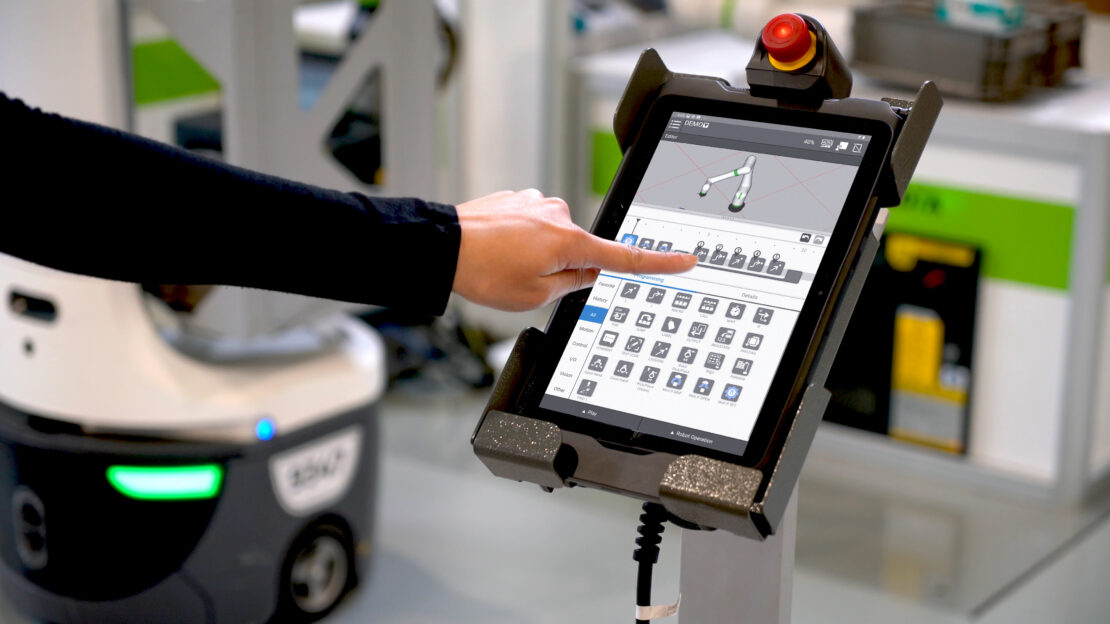
FANUC RoboGuide is FANUC’s offline programming and 3D simulation software: a virtual environment where you build an accurate model of a robot workcell and run it the way the real cell would run. You import CAD models of the robots, tooling, fixtures, conveyors, and parts, then program and simulate the whole system on a PC. Nothing on the plant floor has to move, and no production time is lost while the concept is tested.
The core of the tool is a virtual copy of the robot and its controller. RoboGuide runs the same controller software that drives a physical FANUC robot, so the motion, reach, and timing you see on screen behave like the real machine rather than a rough animation. That fidelity separates a simulation you can trust from a marketing render.
The software ships in application-specific modules so the environment matches the job. HandlingPRO covers material handling and general motion, WeldPRO covers arc welding, PaintPRO covers finishing, and PalletPRO covers palletizing layouts. Each module carries the process logic for its application, which is why a welding cell and a palletizing cell are modeled with different tools inside the same platform.
How offline programming and 3D simulation work
Offline programming means writing and testing robot programs on a computer instead of teaching points by hand on the shop floor. Traditional teaching requires the physical robot, the real cell, and a programmer at the teach pendant, all while that equipment sits unavailable for production. Offline programming moves most of that work into software, so the robot keeps running or has not been installed yet.
Inside RoboGuide, the workflow generally follows a few stages:
Build the cell
Import 3D CAD of the robot, end-of-arm tooling, fixtures, guarding, and the parts being handled, then position them to match the intended layout.
Program the motion
Create the robot paths, either by placing target points in the 3D scene or by generating paths directly from part geometry such as a weld seam or a machined edge.
Simulate and measure
Run the program in the virtual controller to watch the motion, confirm reach, check for collisions, and read the cycle time the software calculates.
Refine and export
Adjust the layout or the path, rerun the simulation, and once the result holds up, export the program to load onto the real controller.
Because the virtual controller mirrors the real one, the program you validate offline transfers to the physical robot with far less on-floor correction than starting from scratch at the pendant.
What manufacturers use RoboGuide for
Cell design and reach studies
The first question on any robotic cell is whether the robot can physically reach every point it needs to, in the orientation the process requires, from where it is mounted. RoboGuide answers that by letting engineers test robot models, mounting positions, and rail or riser options against the actual part and fixture geometry. Catching a reach problem in software costs an afternoon. Catching it after the pedestal is bolted down costs a redesign.
Collision and interference checking
RoboGuide detects when the robot, its tooling, or the part would strike a fixture, a guard, or another machine during the motion. Interference between two robots in a shared workspace shows up the same way. Finding these conflicts virtually protects both the equipment and the schedule, since a collision during live commissioning can damage tooling and stall the line.
Cycle-time estimation and optimization
Because the simulation runs on the real motion profile, RoboGuide produces cycle-time numbers you can design against. According to the Association for Advancing Automation, North American companies ordered 36,766 robots worth approximately $2.25 billion in 2025, a 6.6% increase in units over 2024. Teams use those numbers to confirm a cell will meet its throughput target, compare two path strategies, or find the seconds that decide whether one robot is enough or a second is required. On a high-volume line, a fraction of a second per cycle compounds into real capacity.
Offline path programming and operator training
For process-heavy applications such as welding, RoboGuide can generate robot paths from the part model, which shortens the programming effort for complex geometry. The virtual cell also serves as a training ground: programmers and operators can learn the cell, rehearse recovery steps, and build familiarity with the motion before the real robot is powered, without tying up production equipment.
Where RoboGuide fits in a real integration project
RoboGuide earns its value early, well before installation. In the concept and quoting phase, it validates that a proposed cell is feasible and helps size the robot and layout. During detailed design, it confirms reach, clearance, and cycle time so the mechanical and controls work proceed against a proven concept. As the build nears, offline-generated programs give the commissioning team a running start, so on-floor time is spent fine-tuning rather than teaching every point from zero.
That sequence matters most on retrofits and line additions, where a new robotic cell has to fit an existing line with real constraints on space, timing, and adjacent equipment. Simulating the cell against those constraints surfaces the conflicts while they are still cheap to fix.
How Patti Engineering uses RoboGuide to de-risk robotic cells
Patti Engineering is a FANUC Authorized System Integrator. Simulation is where that partnership shows its value, because the hardest risks in a robotics project are the ones that only appear when equipment is already installed and the line is down waiting. Proving reach, clearance, and cycle time in RoboGuide first moves those risks off the floor and into a model, where a change costs hours instead of days.
Patti’s engineers use offline programming and simulation to lock down cell design before steel is cut, then carry the validated programs into commissioning so startup is faster and less disruptive to production. That approach fits how Patti’s robotics integration work runs across automotive, semiconductor, food and beverage, and other industries: apply the technical rigor to prove the concept, then see the installation through to a cell that actually runs. For teams weighing collaborative robot (cobot) applications alongside traditional industrial arms, the same simulate-first discipline applies before a platform is chosen.
If you are evaluating a robotic cell or a FANUC integration partner, simulation is a fair test of how a partner thinks. A team that models the project before quoting it has already gone looking for the problems you would otherwise discover during startup.
Frequently asked questions
Manufacturers use RoboGuide to design, program, and validate FANUC robot cells in a 3D simulation before any hardware is installed. It handles cell layout and reach studies, collision detection, cycle-time estimation, offline path programming, and operator training. The common thread is testing decisions virtually, where a change is cheap, instead of discovering problems during live commissioning, where a change is expensive and often delays production.
It is both, and the two functions depend on each other. RoboGuide simulates the cell in 3D and generates robot programs offline, then validates those programs against the simulated motion. Because it runs the same controller software as a physical FANUC robot, the programs you create and test offline transfer to the real robot with minimal rework, which is what makes the offline programming trustworthy rather than approximate.
RoboGuide is accurate enough to design against because it runs a virtual copy of the real robot controller, so simulated motion and cycle times closely track the physical robot. The main sources of error are the inputs: CAD that does not match the as-built cell, tooling or fixtures that differ from reality, and part positions that shift on the floor. Good practice controls those inputs, and final calibration still happens at commissioning.
Yes. RoboGuide calculates cycle time from the simulated motion profile, so you get usable throughput numbers during design rather than after installation. Teams use those numbers to confirm a cell meets its rate, compare path strategies, and decide whether the application needs one robot or two. The estimate assumes the modeled process matches reality, so treat it as a strong design target that commissioning confirms.
Not for every task, but it helps most when downtime is costly or the cell is complex. Programming offline lets you develop and test new programs while the existing robot keeps producing, then load the finished program during a short changeover instead of a long teaching session. For simple point-to-point moves on an idle robot, teaching at the pendant may be quicker. For a busy line or an intricate path, offline programming usually pays for itself in recovered production time.
No. RoboGuide is a tool, and the quality of the result depends on the engineering judgment behind the model. A realistic cell, sound tooling assumptions, and a program that survives real-world variation all come from experience, not from the software alone. A strong integrator uses simulation to de-risk the design and shorten commissioning, then brings floor experience to handle the conditions no model fully captures.
Patti Engineering is a FANUC Authorized System Integrator that uses offline programming and simulation to prove out robotic cells before they reach your floor, so reach, clearance, and cycle time are settled in a model rather than during a costly startup. If you are planning a robotic project or comparing integration partners, we can walk you through how simulation applies to your line and where it saves the most time and risk. Reach out to start the conversation.
Related categories: Blog Robotics Uncategorized